
Skip to content
  • FAQs
  • Email Signup
  • Black Hills Online Learning
Compass
MENU
    • About Compass
    • Meet the Team
    • TIE Conference
    • Careers
    • Facility Room Request
  • Membership
    • Professional Development
    • Data Analysis & Supports
    • Support Services for Educators
    • Culture & Climate Services
  • Training & Events
  • Online Courses
  • Request Information
  • There are no suggestions because the search field is empty.
Andrew Ley and Brady Licht's

AI Resource Hub

START HERE

Compass, AI, and You

This page is a snapshot of how Compass thinks about AI in education right now. It's not a comprehensive directory of every tool out there. It's the resources, ideas, and practices that we keep coming back to in our own training sessions. Use it as a reference point after a training, a starting place if you're exploring on your own, or something to share with a colleague who's trying to figure out where to begin. If you want to go deeper, our shared resource folder has select slide decks, handouts, and materials from past sessions.
Explore the Resources
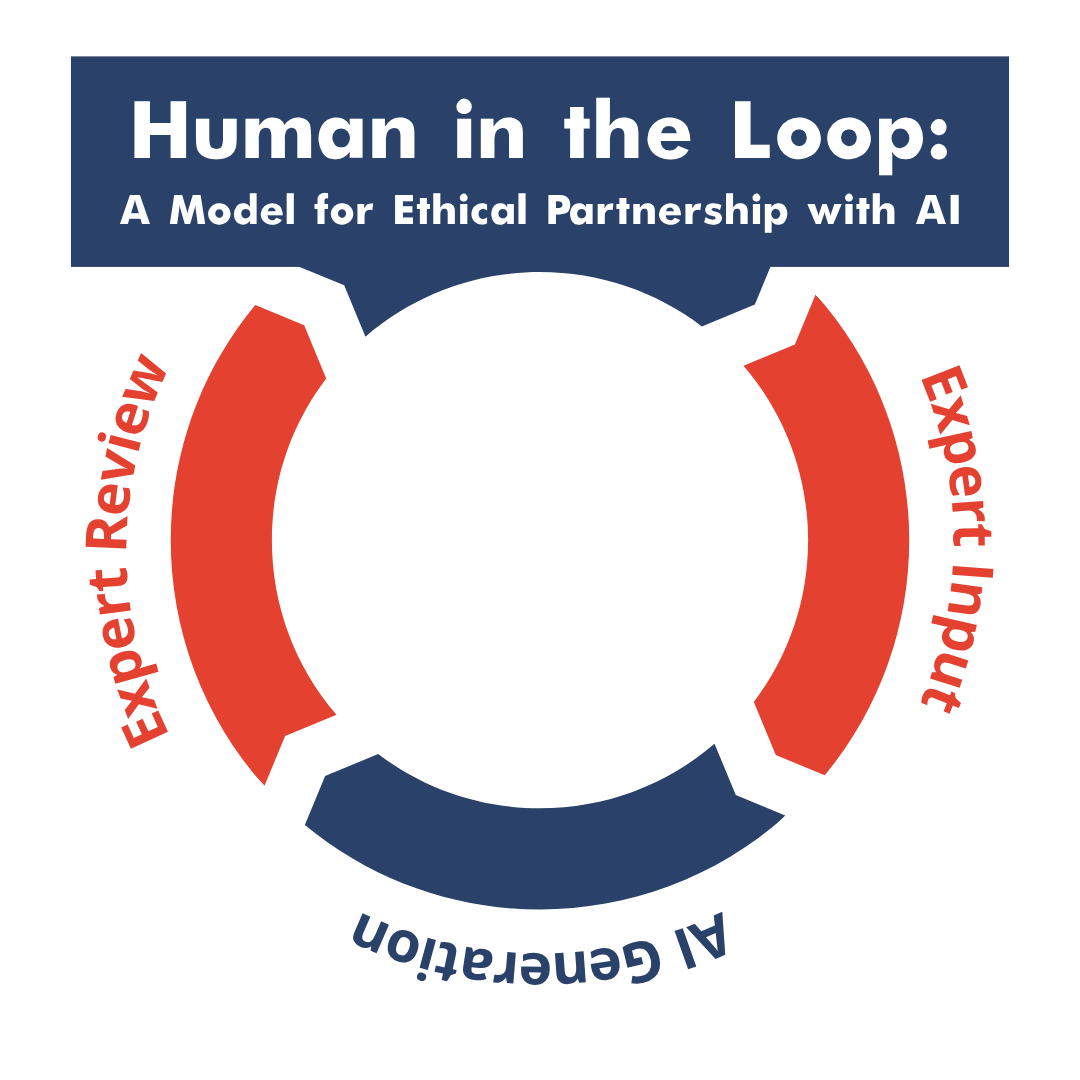
Human-AI Loop A Model for Ethical Partnership

What we Believe

Across our years guiding and coaching on Generative AI implementation, several pillars continue to guide our work.
AI is a tool.
It can augment human intelligence. It cannot replace it. The teacher's expertise, relationships, and judgment remain at the center of everything.
AI is not an authority.
 AI is a storyteller, not a truth-teller. It generates text that sounds confident whether it's right or wrong. Verification is always your job. 
AI can be a starting point.
We use a "Human in the Loop" approach. Let AI draft, brainstorm, or organize, then you review, edit, and make it yours.
AI can save you time, but time for what?
The goal isn't efficiency for its own sake. It's reclaiming time for the work that actually matters, like being present with your students.
AI should follow your values, not define them.

Every community is different. Our job isn't to push adoption. It's to help you make an informed decision grounded in what your community actually cares about.

The Concerns Are Real

We don't brush past the hard questions. These are the five concerns we hear most often from educators, and we think they deserve honest answers.

  • Content Integrity. AI can generate plausible-sounding content that is factually wrong. Anything AI produces needs to be checked before it reaches students. This is non-negotiable.

  • Job Displacement. The fear is understandable. What we see in practice is that AI handles routine tasks (formatting, first drafts, data organization) so educators can spend more time on the parts of teaching that require a human being.

  • Data Privacy. Student data should never go into AI tools. Period. We cover the specific rules below, but the short version is: if it identifies a student, it stays out of AI.

  • Over-Reliance. If you stop thinking critically because AI gave you an answer, you've lost the plot. AI should sharpen your practice, not replace your professional judgment. The same applies to students.

  • Ownership and Environmental Impact. AI training and usage consume significant energy. Copyright questions around AI-generated content remain unresolved. These are systemic issues worth being aware of even as we use the tools thoughtfully.

But one thing isn't up for debate: Student data never goes into AI tools. No names, no grades, no IEP or 504 details, no medical or behavioral information, no parent contact info. Use "Student A" or generic identifiers, general scenarios without identifying details, public curriculum content, and your own teaching materials. This is where our values come first, before any conversation about what AI can do.

ChatGPT. Gemini. Copilot. Claude. MagicSchool. Diffit. Brisk. NotebookLM. Perplexity. Consensus. Canva. Suno. Firefly.

Getting Better at Prompting

Most frustration with AI comes from vague prompts getting vague results. You don't need a complicated framework. Two things make the biggest difference:

Be descriptive. The more context you give, the better the output. Instead of "make a quiz," try "I teach 7th grade life science. We just finished a unit on cell structure. I need a 10-question formative assessment that includes a mix of multiple choice and short answer, aligned to NGSS MS-LS1-2. My students struggle with the difference between organelles, so include a few questions that target that specifically." The AI doesn't know your classroom, your students, or your standards unless you tell it.

Use chain-of-thought prompting. Instead of asking AI to jump straight to a final product, ask it to think through the problem step by step first. For example: "Before you write this lesson plan, walk me through your thinking about how these standards connect and what sequence of activities would build toward the learning objective." This produces better results because it forces the AI to reason through the task rather than guessing at what you want. It also makes it easier for you to catch where the AI's thinking goes wrong before it writes the whole thing.

Practice Your Prompting Skills
  • Say What You See (Google) — A fun, low-stakes way to practice being specific and precise in your language. Great for building the habit of clear communication that makes AI tools work better.
Prompt Libraries
  • Wharton School Prompt Library — Advanced prompts for professional and educational use
  • AI for Education Prompt Library — Beginner-friendly prompts designed for classroom teachers

Where to Start

  • Start here. Pick one task you do regularly that feels tedious (writing a parent email, creating a quiz, reformatting a reading passage) and try it with one of these tools. Spend 10 minutes. See what happens.

    • ChatGPT — The most widely used general-purpose AI. Free tier available. Also free for verified K-12 teachers through June 2027.
    • Google Gemini — Google's AI assistant. Works well if your district is a Google Workspace school.
    • Microsoft Copilot — Microsoft's AI assistant. Integrates with Office tools if your district uses Microsoft 365.
    • Claude — Anthropic's AI assistant. Strong at analysis, writing, and working through complex tasks.
  • These platforms are built specifically for educators. They handle common teaching tasks with less prompt engineering required.

    • MagicSchool AI — A comprehensive educator toolkit with dozens of specialized tools for lesson planning, differentiation, assessment creation, IEP support, and more. Free tier available.
    • Diffit — Adapts reading passages to different reading levels. Useful for differentiation across a wide range of student abilities.
    • Brisk Teaching — Quick feedback and grading assistance. Works as a Chrome extension.
  • Once you have a handle on the basics, the real power comes from combining tools and building workflows.

    • NotebookLM — Google's research assistant. Upload documents, curriculum guides, or research articles and it helps you synthesize, summarize, and even generate podcast-style audio overviews of your material.
    • Perplexity — A search engine that provides cited, sourced answers. Useful when you need to verify information or find research quickly.
    • Consensus — Searches across academic research papers. Helpful when you need evidence-based support for a practice or approach.
    • Custom GPTs and Projects — Both ChatGPT and Claude allow you to create custom assistants with specific instructions, reference materials, and guardrails. This is where AI starts to feel like a true co-worker rather than a generic tool.
    • Multi-tool workflows — For example: use NotebookLM to digest a collection of research articles, generate key concepts, then feed those into ChatGPT or Claude to draft lesson materials aligned to your standards.
  • You don't need to know how to code. "Vibe coding" is the practice of describing what you want to an AI and having it generate a functional tool for you. Educators are using this approach to build things like interactive review games, classroom routine tools, data dashboards, and more.

    • DIY EdTech with AI — Brady's article on building your own classroom tools with AI, no programming background required.
    • Vultures, Vibe Coding, and Who Gets to Automate Whom — A deeper look at why educators should be the ones building their own solutions.
    • Google Project IDX — A free online environment where you can test and run code that AI generates for you.

Teaching Students About AI

The question isn't whether students will use AI. They already are. The question is whether they'll use it well, and that depends on whether someone teaches them how.

Where to Start with Students
  • Code.org AI Resources — This is our top recommendation for teaching students about AI. Well-structured, grade-appropriate, and focused on understanding how AI works rather than just using it. Includes lessons on how AI learns, bias, and responsible use.
Designing Assignments That Hold Up

AI changes what counts as "original work." Rather than trying to catch students using AI, we recommend designing assignments that make AI less useful in the first place.

Strong assignments are grounded in originality (personal connection and unique perspective), purpose (real-world application and audience), and process (demonstrable thinking and iteration).

  • MagicSchool AI-Resistant Assignment Generator — Helps you redesign assignments so they require the kind of thinking AI can't replicate.
  • Storytelling with Purpose — Michael Hernandez's work on authentic, multimedia assignments that resist AI shortcuts.

Compass Courses

On-demand, self-paced training you can take anytime. Includes the AI for Educators Book Study (Matt Miller), one of our most popular courses. Free for Compass members with your annual access code.


View Courses

In-Person Training

We offer half-day, full-day, and multi-session AI professional development for schools and districts. Customized to where your staff actually is.


Learn More

Facebook Community

Join Andrew and others for curated posts on what's worth paying attention to in AI and education, filtered through a healthy skepticism about what actually helps students.


Join Group
logo-footer-blue@2x
  • About
    • About Compass
    • Meet the Team
    • TIE Conference
    • Careers
    • Facility Room Request
  • Membership
  • Services Offered
    • Professional Development
    • Data Analysis & Supports
    • Support Services for Educators
    • Culture & Climate Services
  • Training & Events
  • Online Courses
  • Request Information
facebook-f icon Compass_X_logo instagram icon linkedin-in icon
Privacy Policy 
logo-bhssc-footer
Compass is a division of Black Hills Special Services Cooperative